
How Amazon Seller Central Works Inside
July 28, 2026
Amazon Seller Central is the web console you use to run your entire business as a seller on Amazon: you create products, publish listings, manage stock, watch incoming orders, handle returns, adjust pricing, review advertising, and collect your deposits. Put simply, it’s the back office of your store inside the marketplace. When people ask how Amazon Seller Central works, the short answer is this: it’s a console made of modules, each responsible for one part of the operation, all wired to the same catalog and the same flow of money.
Inside, Seller Central isn’t a single screen but a collection of sections (Inventory, Orders, Advertising, Reports, Payments, Performance) that share data with each other. Understanding that mental map is what separates a seller who reacts from one who operates with intent. The complexity isn’t in opening the panel; it’s that each module speaks its own language and shows its own picture of the business.
And here’s the real pain for a growing seller: Seller Central shows you Amazon, but if you also sell on MercadoLibre, run Shopify, or move inventory through a 3PL, you end up opening four or five different panels, exporting to spreadsheets, and stitching numbers together by hand. This article walks through Seller Central inside, module by module, and lands at the end on why all that manual work gets solved by seeing everything in real time.
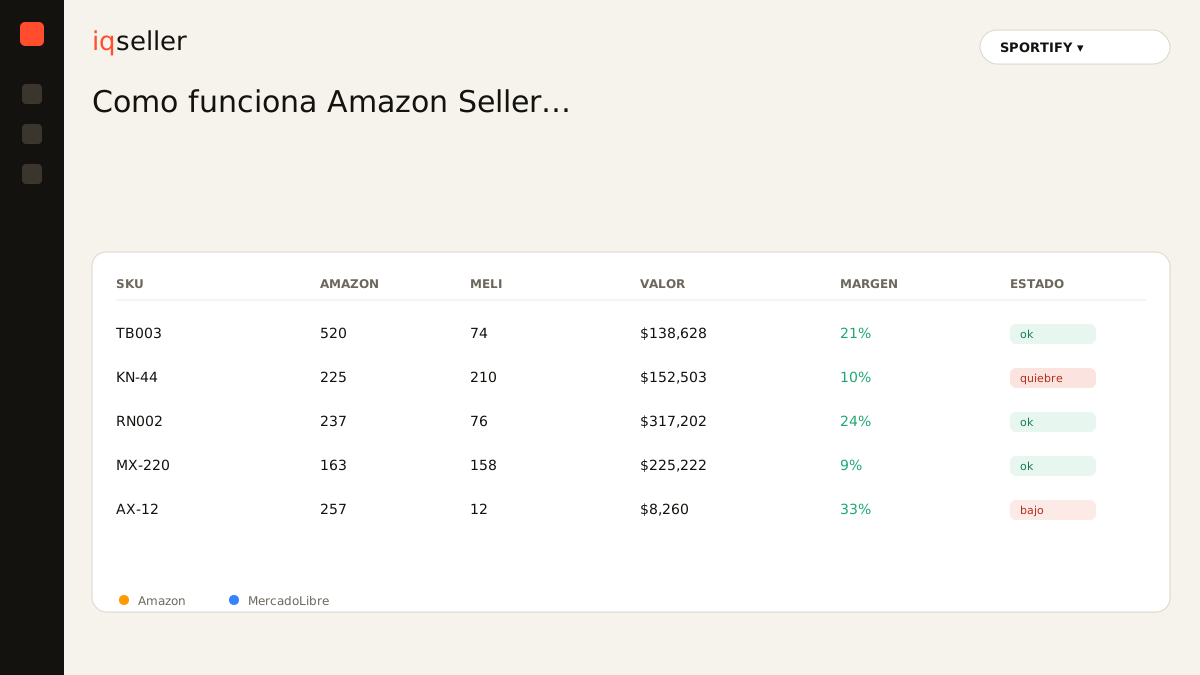
the home dashboard: your quick snapshot
The first thing you see when you log into Seller Central is the home dashboard. It’s a summary: today’s sales, units sold, account balance, pending buyer messages, and performance notifications. It’s not where you actually work; it’s where you take the pulse. Think of it as a car’s dashboard: it tells you something is wrong, but you don’t fix the engine from there.
The problem is that this summary only speaks Amazon. If your best product also sells on MercadoLibre, the day’s number you see in Seller Central is half the business, not the whole business. Many sellers build the reflex of mentally adding “this plus the other panel,” and that head math is exactly where errors are born.
inventory: the heart of Seller Central
The Inventory module (Manage Inventory) is where your catalog lives. Each product is a listing with its SKU, its ASIN, its price, its available quantity, and its status (active, inactive, incomplete). Here you decide whether to use FBA (Amazon stores and ships for you from its fulfillment centers) or FBM (you ship from your own warehouse or 3PL). That decision changes everything downstream: fees, timing, who is responsible for delivery.
Inside, FBA inventory has its own sub-section: units in transit to Amazon, available units, units reserved by in-process orders, and unfulfillable units (damaged or under review). That detail matters because the number you can actually promise isn’t the “total,” it’s the net available. Confusing them leads to overselling.
When the same physical product also lives on another marketplace, the challenge multiplies. You sell one unit on Amazon and another on MercadoLibre from the same lot, but each panel only decrements its own. Without a real-time inventory that consolidates real availability across every channel, it’s only a matter of time before you promise something you no longer have. This is the classic case where a unified catalog stops being a luxury and becomes a necessity.
orders: where the sale becomes work
The Orders section (Manage Orders) lists everything that sold and the state each one is in: pending, shipped, delivered, canceled, returned. Under FBA, Amazon processes most of it automatically and you barely touch anything. Under FBM, this is where you print labels, confirm shipments, and fight the promised handling times, because arriving late punishes your metrics.
This module is also where refunds and claims (A-to-z) show up. Every return isn’t just money coming back: it moves your available inventory, affects your defect rate, and can touch your eligibility for certain programs. That’s why reading Orders “at a glance” is dangerous; small details carry big consequences.
For a multichannel seller, the pain is fragmentation: Amazon orders are in Seller Central, MercadoLibre orders are in its own manager, and the ones going out from the 3PL are in a third system. Building a single view of “what do I need to ship today” means jumping from tab to tab. It’s the same problem you hit when selling in the specialized sections of other channels: each platform forces you to learn its own order logic.
price and buy box: the silent fight
Inside Seller Central you adjust pricing product by product, and Amazon offers automated pricing tools. But price on Amazon doesn’t live alone: it decides whether you win or lose the Buy Box, that “Buy Now” button that captures the vast majority of sales when several sellers offer the same product.
The Buy Box isn’t won by lowest price alone; your shipping method, your reputation, your availability, and your history all weigh in. Seller Central shows you whether you have it or not, but understanding the full mechanics takes time. Dropping the price blindly to “win” usually eats your margin without guaranteeing anything.
Glossary: what the Buy Box is and how it’s won →Here the multichannel risk is real: if you drop the price on Amazon to fight for the Buy Box but leave the same product more expensive on MercadoLibre, you create inconsistencies that confuse your own business. Coordinating prices across channels from separate panels is one of the most time-consuming manual tasks there is.
advertising and reports: reading to decide
The Advertising section (Campaign Manager) is where you run Sponsored Products and other formats, set budgets, and review your ACOS. Alongside it, Reports is the data mine of Seller Central: sales by period, traffic, conversion rate, sessions, units per page view. It’s all there, but it’s spread across dozens of different reports, each with its own format and its own time window.
The challenge isn’t a lack of data, it’s a messy excess of it. To answer something as simple as “does this product leave me a profit after fees, FBA, and advertising?” you have to cross-reference three or four reports by hand. That manual cross-referencing, done in a spreadsheet every week, is what eats a seller’s evenings and what most invites mistakes.
Glossary: why true net margin doesn’t just appear in Seller Central →payments: the money that actually arrives
Finally, the Payments section shows your balance, the breakdown of each deposit, and every deduction: referral fee, FBA fees, advertising, refunds, adjustments. Amazon deposits in cycles, and what you see deposited already comes with everything subtracted. This is where many sellers discover, too late, that their “sale” and their “real income” are two very different numbers.
Inside, Payments is the acid test of your profitability. A product can sell a ton and still leave you little, because fees pile up. Reading this module carefully, and comparing it against your product cost, is what tells you whether you’re building a business or just moving boxes.
why one Amazon panel is no longer enough
Now that you’ve walked through Seller Central inside, the conclusion is clear: it’s a complete and powerful console, but it’s designed to see one marketplace. The moment you open a second channel (MercadoLibre), add Shopify, or bring in a 3PL, Seller Central stops telling you the whole story. You go back to exporting, stitching in a spreadsheet, adding in your head, and operating on yesterday’s snapshot.
That’s exactly the gap that seeing everything in real time, in one place, fills. Instead of jumping between panels, you consolidate inventory, orders, prices, advertising, and margins from Amazon, MercadoLibre, Shopify, and your 3PL into a single, living view. You stop asking “how much did I sell in total today?” with three different figures on the table: there’s one figure, up to date, the same for your whole team.
Understanding how Amazon Seller Central works inside is the first step. The next is to stop letting each channel force you to rebuild the picture by hand. When your operation grows from 100 to 1,000 SKUs spread across marketplaces, control can no longer depend on how many tabs you can review; it depends on having the information unified and in real time.