
How to Allocate Stock Across Warehouses When Demand Shifts
August 10, 2026
In a multi-warehouse setup, allocating stock when demand shifts comes down to one rule: move units toward the location where the clock is running out fastest, and pull them from where coverage is piling up, always measured in days of sales per warehouse rather than in total units. If you sell on Amazon with FBA, on MercadoLibre with Full, and move part of your stock from a 3PL or your own warehouse, your inventory is not a single tank. It is a set of separate compartments that do not balance themselves. Demand drifts from channel to channel week by week, and the stock that was spare in one warehouse yesterday is exactly what you are missing in another today.
The classic mistake is staring at the big number. “I have 900 units of this SKU spread around, I’m fine” sounds reasonable until you find that 700 sit in Full, where the product barely moves anymore, and only 100 are in FBA, where it runs out on Thursday. The total gives you a false calm while one channel stocks out and another gathers dust. Allocating well is not about holding a lot of inventory. It is about holding it in the right warehouse at the right time.
When demand changes direction, the question is not “how much stock do I have?” but “which warehouse is short and which one has extra?” Answering that by hand, stitching together tabs from Seller Central, the MercadoLibre panel, and the 3PL sheet that landed in your inbox, is slow, and by the time you finish the number is already yesterday’s. That is why allocation across warehouses is, first and foremost, a fresh-data-by-location problem.
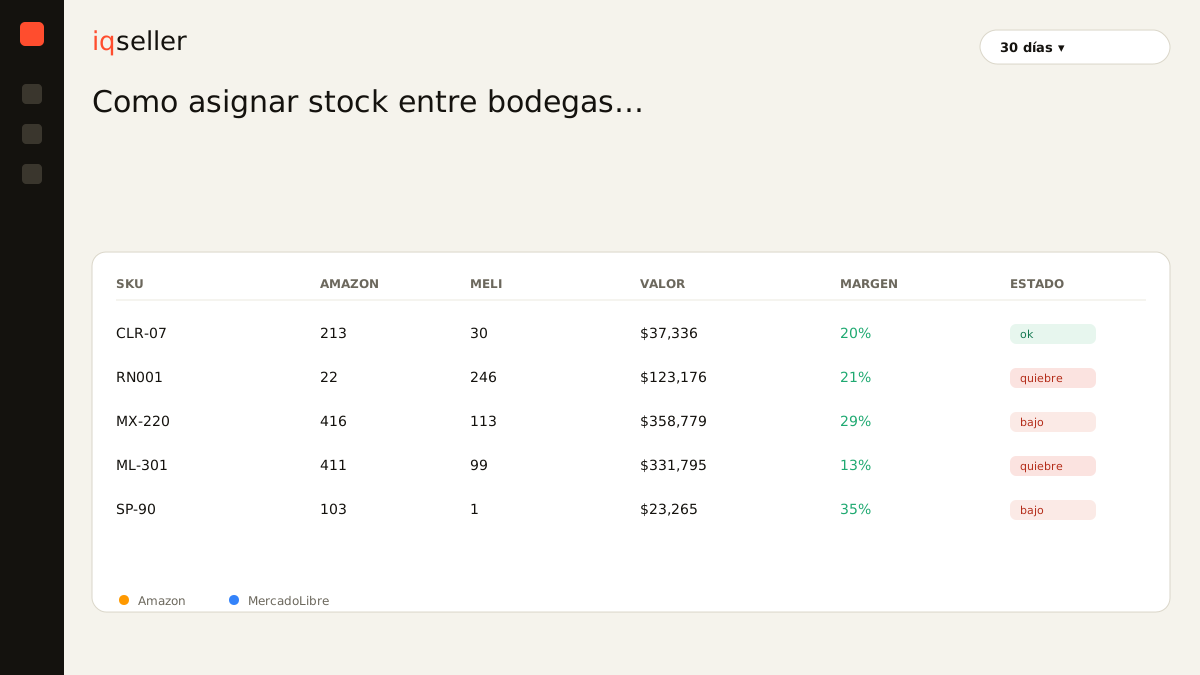
why the total hides the problem
Adding up inventory across every warehouse and looking at that figure is the fastest way to make a bad call. The total does not know that FBA units only serve Amazon demand, that Full units only cover MercadoLibre, and that your 3PL stock can feed self-fulfilled orders or Flex but cannot solve an FBA stockout without an internal restock that takes days. Each warehouse is a compartment with its own demand, its own sell-through speed, and its own clock.
The average lies with a friendly face. If a SKU shows forty days of coverage across all locations, but those forty days are really three in one warehouse and eighty in another, the average tells you “all good” precisely when a channel is about to break. The right question is never about the total. It is about the distribution. You need to see, warehouse by warehouse, how many days of sales each one has left, and that is where the imbalance the big number was hiding finally shows up.
Glossary: a stockout is running out of sellable units in a channel; in a multi-warehouse setup it can happen in one location while another overflows, which is why watching the total is not enough to prevent it.measure demand per warehouse, not globally
Before you move a single unit you have to know how fast that SKU sells in each warehouse. The same reference can move 25 a day on Amazon and 5 on MercadoLibre; allocating with a blended global speed would push you to split evenly when reality calls for the opposite. Sell-through speed is local, it changes by channel and by season, and it is the first input you need to decide where to move.
Choose the window carefully too. The last 7 days of velocity capture recent acceleration and seasonal turns; the 30- or 90-day window smooths out the noise of a passing spike. A product that just took off in one channel reads better with the short window so you don’t underestimate its new demand; one coming off a promotion is better read with the long window so you don’t mistake a one-off peak for the new normal. Seeing each warehouse’s coverage calculated across several windows side by side keeps you from reallocating blind.
Glossary: days of inventory measure how long your stock lasts at the current sales pace; computed per warehouse, they are the right unit for comparing locations and deciding which to pull from and which to feed.always start from each warehouse’s real availability
This is where most allocations quietly go wrong. If you compute each warehouse’s coverage on the physical stock the report shows, you are starting from an inflated number. The honest starting point is real availability by location: what can actually sell today in that channel, once you subtract reserves from in-process orders, units in inspection, returns waiting to be restocked, and inventory blocked by a listing problem.
The gap between the physical number and real availability can be huge, and it decides an entire reallocation. A warehouse can show 300 units in the report but have only 180 sellable because the rest is reserved or blocked. If you move stock out of that location believing it has plenty, you leave a stockout where you didn’t expect one. Every move between warehouses should start from the real availability of both origin and destination, not from the physical count that looks good on the sheet.
This gets worse when part of the inventory is trapped. A batch stranded in FBA still shows up in your total count but covers nothing, and counting it as available leads you to skip restocking a warehouse that actually needs it. Preventing those traps is exactly what we work through in common causes of stranded inventory and how to prevent them: units that exist on paper but don’t sell distort any allocation math.
Glossary: real availability is the stock you can sell right now in a warehouse, once reserves, returns in process, and blocked inventory are subtracted; it is the only honest basis for deciding how much to move between locations.reallocate against lead time, not against panic
Knowing a warehouse will stock out is not enough: you have to know whether you can still avoid it and by which route. Moving stock between your own locations has its own internal lead time. Restocking FBA from your 3PL can take transit days plus Amazon’s receiving time; sending to Full from your own warehouse has its own calendar. That transfer time is what separates a calm reallocation from an express shipment with the margin eaten.
So it helps to think in two reaction speeds. When a warehouse enters the critical zone but you still have days before the stockout, the move is an orderly internal transfer from another warehouse with excess: you buy nothing, you just reshuffle what you already own and save the sale without overspending. When the clock is already running under the internal lead time, the decision changes: you may have to order from the supplier with rush shipping, and there you do need to check whether the margin can absorb that cost or whether it’s better to let that channel stock out for a couple of days.
The distinction matters because most of the time the alert does not mean “buy more,” it means “you have plenty in one warehouse and you’re short in another.” That reading, impossible with a global threshold, is what separates restocking with expensive freight from simply moving what is already in your network.
the manual pattern breaks on day two
All of the above is sustainable once, for one SKU, in a good spreadsheet. With dozens or hundreds of references across three or four warehouses, the manual update falls apart fast. You know the pattern: you open Seller Central to check FBA availability, then the MercadoLibre panel for Full and Flex, then the 3PL sheet that arrived by email on Monday, you paste it all into one tab, divide by each channel’s speed by hand, and try to decide what to move. By the time you finish, the data has aged, the formulas have drifted out of sync, and demand has shifted again.
That work of gathering information by hand is where the edge is lost. Not because you can’t do the math, but because by the time you finish it’s already late: the reallocation you calculated on Monday with Friday’s data doesn’t answer Tuesday’s demand. The uncertainty doesn’t come from not understanding the business, it comes from always operating on yesterday’s data scattered across screens that don’t talk to each other.
A real-time inventory is what makes it possible to reallocate on fresh data. Instead of you gathering the tabs, the system reads each warehouse’s real availability, cross-references it with the current sell-through speed per channel, computes the days of coverage for each location, and shows you the imbalance at a glance: which warehouse is in the red, which one has excess, and how many units to move to leave both in the safe zone. Without up-to-date data by location, any allocation carries yesterday’s error forward.
how to set the allocation up right
Start by defining, for each important SKU, the recent sell-through speed per warehouse and the internal lead time for transfers between locations. With those two numbers you can already compute each warehouse’s days of coverage and spot which one is below its own restock time. That is your trigger: not a fixed unit threshold applied to everyone, but a floor in days that respects each channel’s real pace.
Then decide the allocation rule. A simple and robust approach is to equalize coverage: instead of chasing a unit count per warehouse, move stock until the active warehouses land at a similar number of days of sales, prioritizing the one in the red. That way, when demand accelerates in a channel, the system reflects it as more units toward that warehouse automatically, because its “days of coverage” weigh more. Always keep a buffer for surprises and don’t empty a warehouse just because it sells slowly today: demand shifts, and you might need it next week.
Close by cross-checking every move against cost. Before firing off an internal transfer or a rush order, look at the freight and the margin: saving a sale at any cost is sometimes more expensive than letting a channel stock out for two days. The best allocation is the one that arrives on time without buying badly, and you get there by looking at coverage per warehouse, each channel’s speed, and each location’s real availability together, not by guessing from the total.