
What Is Net Margin on Amazon and How to Calculate It per Product
July 12, 2026
Net margin on Amazon is what you keep from each sale after subtracting every single cost that sale carries: the product cost, Amazon’s referral fee, the FBA fee, inbound shipping to the fulfillment center, prorated advertising, and tax. It is not “price minus cost” — that is gross margin, and it almost always lies to you. Net margin is the only number that tells you whether a product actually puts money in the bank or just looks profitable while the operation quietly eats it.
In short-formula terms: net margin = (sale price − Amazon referral fee − FBA fee − product cost − inbound shipping − advertising − net tax) ÷ sale price. The result, as a percentage, is your real net margin. If you sell a product for $500 and after subtracting everything you keep $60, your net margin is 12% — not the 40% “gross” figure you would see if you only subtracted the purchase cost.
The pain for a seller who also lists on MercadoLibre, runs a Shopify store, and uses a 3PL is that none of these numbers live in the same place. Amazon Seller Central shows its fees on one screen, your product cost sits in a separate catalog, inbound shipping arrives by email, and tax gets figured out by your accountant somewhere else. To learn the net margin of a single SKU you end up building a spreadsheet by hand, cross-referencing data that is already a day old. This article breaks down what makes up net margin on Amazon and how to calculate it product by product without guessing.
why gross margin fools you
Almost every seller starts by looking at gross margin: sale price minus product cost. You buy an item for $180, sell it for $500, and celebrate a “margin” of 64%. The problem is that number ignores everything Amazon and the tax authority charge you for selling. Once you subtract the referral fee (which in most markets runs from 8% to 15% depending on category), the FBA fee for handling and shipping the unit, the cost of sending the product to the fulfillment center, the slice of advertising that sale absorbed, and the tax you owe, that 64% collapses. Very often into single digits.
That is the moment a “star” product turns out to be a product working for free — or worse, one that subsidizes Amazon. Gross margin is useful for negotiating with suppliers; it is useless for setting prices or knowing what you truly earn. For that you need the Glossary: real net margin is what remains after ALL costs — product, fees, shipping, tax, and advertising — not just price minus cost.
the costs Amazon subtracts from every sale
To calculate net margin you need to identify every cost deducted from an Amazon sale. In order, they are:
- Referral fee: the percentage Amazon charges on the sale price (including shipping in many cases). It varies by category, from around 8% up to 15% or more. It is the first thing that leaves.
- FBA fee (fulfillment): if you use Fulfillment by Amazon, you pay a fee to pick, pack, and ship each unit, calculated by size and weight. On top of that come monthly storage fees and, if the product moves slowly, long-term storage.
- Product cost (COGS): what it cost you to buy or manufacture the unit, including import costs if you source from abroad.
- Inbound shipping: sending goods to Amazon’s fulfillment centers is not free; that freight gets prorated across the units shipped.
- Advertising: the share of your Amazon Ads spend attributable to that SKU’s sales. A product with high ACoS can have a healthy gross margin and a negative net margin.
- Tax: the VAT or sales tax you collect and remit. Handling tax correctly in the calculation (price with or without tax, crediting) changes the final result.
Skip any of these and your “net margin” is not net: it is an incomplete snapshot that will push you to overstock something that actually loses money. FBA fees explained deserve their own analysis because they vary the most between products and are the ones most people underestimate.
how to calculate net margin step by step
Here is a concrete example. You sell a product on Amazon for $500 (tax-inclusive price). The real breakdown:
- Sale price: $500.
- Tax to remit: the price includes 16% tax, so your tax-exclusive revenue is roughly $431.03 (500 ÷ 1.16). Always work with tax-exclusive figures so you don’t inflate the margin.
- Referral fee (12% of the price): −$60.
- FBA fee (standard-size unit): −$70.
- Product cost (COGS): −$180.
- Prorated inbound shipping: −$12.
- Prorated advertising (8% ACoS on $500): −$40.
Sum of operating costs (not counting the tax you already separated): 60 + 70 + 180 + 12 + 40 = $362. Against tax-exclusive revenue of $431.03, you keep $69.03 in net profit. Your real net margin is 69.03 ÷ 431.03 = 16%. A long way from the 64% gross figure you cheered at the start.
This calculation has to be repeated for every SKU, because each one carries a different referral fee, FBA fee, COGS, and ACoS. And it has to be redone every time Amazon updates fees, your supplier raises the cost, or you change an ad bid. Doing it by hand once is tolerable; doing it for 200 SKUs every week is where the spreadsheet breaks and the formula errors begin.
net margin changes across Amazon, MercadoLibre, and Shopify
Here is the real multichannel pain: the same product has a different net margin on each channel. Amazon’s referral fee is not MercadoLibre’s; the FBA fee is not the cost of Meli Full or your 3PL; sometimes even the price differs because you compete against a different seller on each platform. A product that leaves you 16% net on Amazon might leave 22% on MercadoLibre and barely 9% on Shopify once you factor in the payment gateway and the shipping you absorb.
If you look at a single dashboard, that asymmetry is invisible. You end up setting one price “because it’s easier” and, without realizing it, lose money on the most expensive channel while leaving money on the table on the cheapest one. Seeing net margin per SKU and per channel, side by side, is what lets you decide where to push inventory, where to raise price, and where to simply stop selling a product that only works to pay the platform.
the hidden cost of calculating it by hand
The problem isn’t missing data; it’s that the data is scattered. Referral fee on one screen, FBA fee on another, COGS in your catalog, inbound in a carrier’s email, advertising in the Ads console, tax in the accountant’s sheet. To answer “what net margin does this SKU leave me today?” you download reports, match SKUs that are named differently on each channel, prorate costs, and build a formula that hopefully has no reference error.
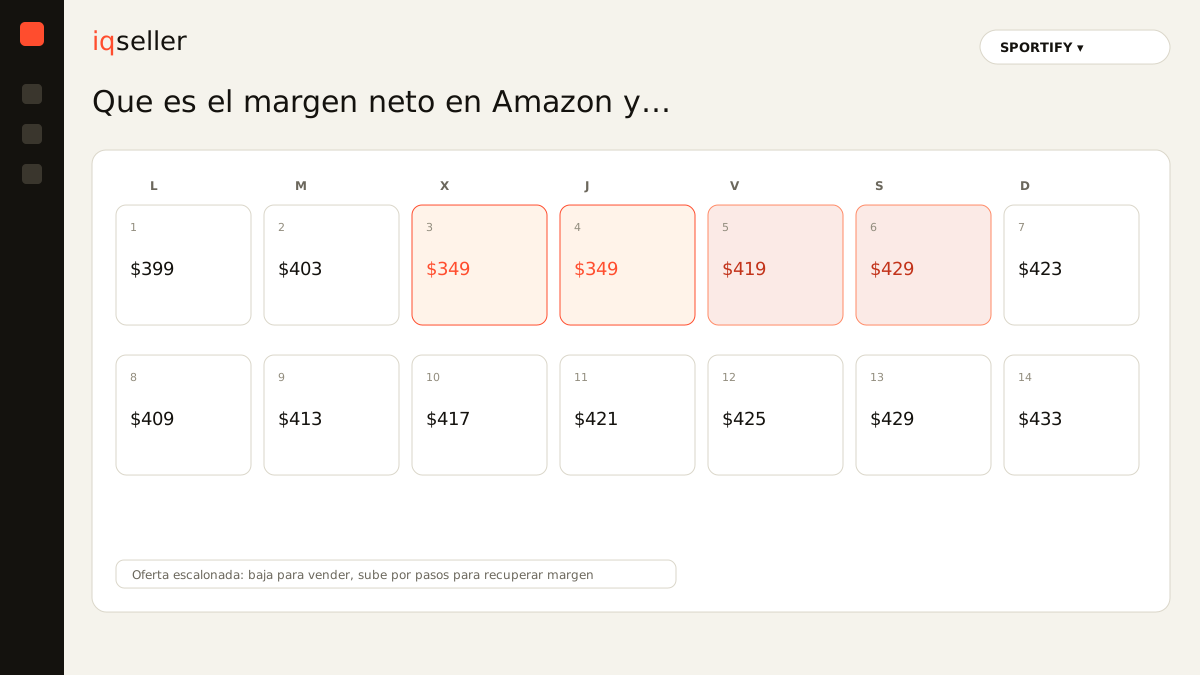
By the time you finish, the answer has aged. Amazon may have changed a fee, your supplier raised a cost, or your campaign spent differently this week. Setting prices on week-old net margin means selling in the red for days before you find out. A single real-time source of truth changes the question from “how much do I think I earn?” to “how much did I earn on this sale, right now?”. That is where the automatic price calendar becomes useful: if the system knows your real net margin per SKU, it can schedule price increases and drops without ever crossing below your profitability floor.
what you should be able to see at a glance
A useful profitability panel shows you, per SKU and per channel, at least this: sale price, each cost broken out (referral, FBA, COGS, inbound, advertising, tax), net profit in currency, and net margin as a percentage. With that, decisions stop being intuition. You see immediately which products can absorb a promotion without going into loss and which are already in the red even though they look like sellers.
That reading connects to two tools that make margin actionable. The first is the Glossary: the price calendar schedules price changes in advance, always respecting your minimum net margin per product. The second is the Glossary: tiered offers apply volume or date-based discounts without letting net margin fall below the floor you defined. When net margin lives in the same board as your prices and promotions, you stop guessing: you know exactly how much you can give up before you start working for free.