
Detect stockouts before they happen
May 8, 2026
When you sell across several channels at once, a stockout rarely arrives all at once. It creeps up while you are looking somewhere else. A SKU that seemed to have plenty of cushion starts moving faster than usual on MercadoLibre, while on Amazon it keeps draining units at its own pace, and your 3PL hasn’t logged the latest pick yet because the count happens at end of day. By the time you open Seller Central and see the “low stock” flag, the underlying damage is done: you sold at a velocity your replenishment can’t match.
The problem isn’t that you don’t know how many units you have. The problem is that the number lives scattered across three or four places, each with its own cutoff time and its own lag. You add it up by hand, export to Excel, subtract whatever you think sold today, and make a replenishment decision on yesterday’s data. It works until one channel speeds up and nobody notices in time. That is exactly the moment a listing runs dry, loses ranking and, worst of all, stops showing up right when demand peaked.
Detecting a stockout before it happens isn’t guesswork. It’s looking at the combined sales velocity across all your channels against your real available inventory, and projecting how many days you have left. When that number drops below your replenishment lead time, you already have an actionable alert. The gap between reacting and anticipating is having that math done in real time, not at the end of the week.
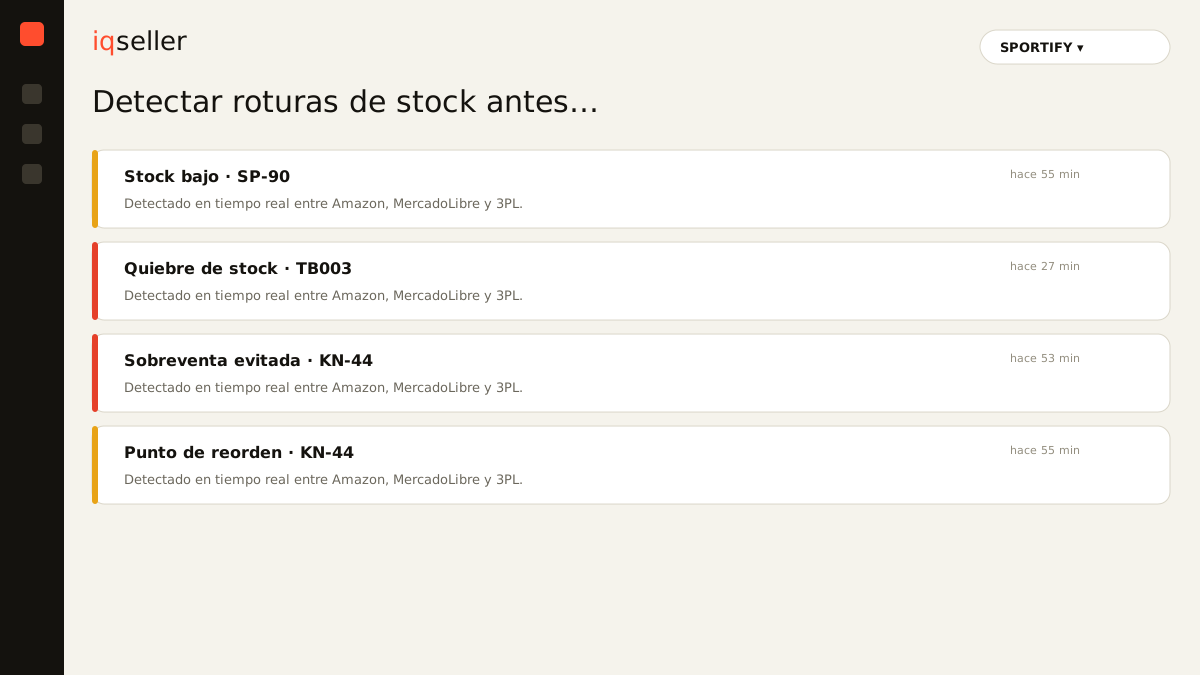
why stockouts slip between dashboards
The multichannel seller lives with several tabs open. Amazon Seller Central reports its FBA inventory with its own delay. MercadoLibre shows you the stock for each listing, but knows nothing about what you have committed on Amazon. Your 3PL manages the physical inventory that feeds both, and usually updates in batches, not instantly. Each one is right inside its own world, but none of them sees the full picture.
The result is that the unit you think is free may already be reserved to fulfill an order on another channel. When you pull everything into a spreadsheet, you capture a snapshot that ages in minutes. If on Monday you calculated twenty days of cover, by Wednesday that figure can be worth half without your noticing, because a promo or an organic spike changed the outflow rate. A stockout doesn’t announce itself: it slips right through the crack between one dashboard and another.
Dictionary: a stockout is running out of sellable units on a channel where you still have active demand.a single source of truth for inventory
The fix isn’t checking each panel more often. It’s stopping the habit of checking scattered panels and working against a single consolidated figure instead. When Amazon, MercadoLibre and your 3PL inventory come together in one view, the question stops being “how much do I have on each side?” and becomes “how many days do I have in total, given everything that’s selling?”.
That consolidation only helps if it’s fresh. A unified inventory built on yesterday’s data just reproduces the same error in a prettier format. That’s why the foundation for catching stockouts in time is real-time information: the system has to reflect outflows as they occur, not when someone exports the report. With a single, fresh source, a sharp drop in availability on any channel becomes visible immediately, instead of after it already cost you sales.
Dictionary: real-time sync keeps your inventory and sales reflected instantly across every connected channel.from “how many units” to “how many days”
Counting pieces tells you nothing on its own. A hundred units can be a month of calm or two days of panic, depending on how fast they sell. The metric that actually anticipates a stockout is days of inventory: your available stock divided by your combined daily sales velocity across all channels.
When you work in days instead of pieces, the alert becomes obvious. If a SKU drops below its threshold — say, fewer days of cover than your supplier takes to replenish plus your 3PL’s transit — you know to act today, not when the counter hits zero. And since sales velocity climbs during seasons, promos or organic spikes, that calculation has to be recomputed constantly. A cover number that looked healthy yesterday can slide into the red after a single strong sales day.
Dictionary: days of inventory estimates how long your stock will last at the current sales pace, summed across all channels.alerts that arrive in time, not notices after the fact
A “you’re out of stock” notice isn’t an alert, it’s a death certificate. The real value is in the early warning: the one that tells you that, at today’s pace, this SKU runs out before your replenishment can arrive. That margin is what lets you maneuver — pull forward a purchase order, shift units between channels, or pause a campaign that’s draining outflow too fast.
For an alert to be useful it has to be specific and timely. “Low stock” doesn’t tell you what to do. “This SKU has fewer days of cover than your replenishment lead time on the channel where it sells most” does. The right threshold isn’t a single fixed number for everything: it depends on each product’s lead time and how critical it is to your sales. The same logic applies to price alerts, where the value also lies in warning you before a problem turns into a loss.
the real multichannel seller’s case
Picture a store like SPORTIFY, selling the same item on Amazon and MercadoLibre and fulfilling from a 3PL. The hero product turns over well on both sides, but velocity isn’t even: some days it hits harder on one, other days on the other. Looking at each dashboard separately, everything looks fine in isolation. Adding it up by hand once a day, the math looks comfortable.
What escapes is the combined effect. A weekend of high organic traffic on MercadoLibre plus an active Amazon campaign can burn in two days what the plan assumed for a week. If nobody sees the aggregate velocity, the stockout arrives as a Monday surprise. With a single view that projects days of cover against the real outflow rate, that same situation fires an alert on Friday, while there’s still time to pull replenishment forward or rebalance units across channels.
how to set up detection without losing your mind
You don’t need to watch every SKU with the same intensity. The healthy practice is to rank by impact: the products that sell the most and carry the most margin deserve the most conservative threshold, because a stockout there hurts immediately. Low-turnover items can live with a wider buffer without flooding you with notices.
Set each product’s threshold based on its real replenishment time, not a hunch. Add the supplier lead time, the transit, and however long your 3PL takes to make the unit sellable. That total is the minimum days of cover you should never cross. From there, let the system watch the combined velocity and ping you only when a SKU approaches its own limit. That way alerts stay signals, not noise, and each one reaches you with room to act rather than room to regret.
what changes when you anticipate instead of react
The operational difference is huge. When you react, you live putting out fires: the listing already dropped in ranking, you already lost the Buy Box or the exposure, and clawing rank back costs more than holding it. When you anticipate, replenishments become planned routine and your campaigns stop burning inventory you can’t sustain.
Anticipating also changes your relationship with data. You stop trusting a snapshot of yesterday pasted into Excel and start trusting a living count that updates itself. The goal isn’t more reports, it’s fewer blind decisions. Detecting stockouts before they happen is, in the end, about no longer managing three partial truths and starting to work with a single one — fresh and complete — the one that tells you not how much you sold, but how much you have left and for how many more days.