
The Amazon SP-API reports that actually matter
April 24, 2026
Amazon’s SP-API is a goldmine of data, and also a maze. There are dozens of report types: orders, settlements, inventory, returns, fees, traffic, listing performance. The first time you scan the full catalog, the feeling is overwhelming abundance: so many reports with near-identical names that you don’t know which one to request, how often, or what to do with the response once it finally arrives as a flat file packed with cryptic columns.
The real problem isn’t missing data. It’s that you have too much and almost none of it is ready to act on. As a multichannel seller, you don’t want to become a data engineer: you want to know how much you actually sold today, what’s left in the warehouse, how much the fees are eating, and whether a listing lost the Buy Box while you were asleep. Instead you end up downloading four or five different reports, pasting them into Excel, cross-checking them against MercadoLibre and your 3PL, and by the time the number reconciles it’s late at night and the data is from yesterday.
This article isn’t a technical tutorial on the API. It’s a map of which SP-API reports move the needle for a multichannel business, why each one misleads when read alone, and why the way out isn’t requesting more reports but consolidating them into a single source of truth that already comes reconciled with your other channels.
the orders report: your sale isn’t what it looks like
Every seller’s first instinct is the orders report (the Orders-family types, like the all-orders-by-last-update report). It’s the heart of “how much did I sell.” But here’s where the trap begins: an order on Amazon has states. It can sit as Pending before payment confirms, it can be canceled, it can be refunded partially or fully days later. If you sum the gross from this report without filtering states, you inflate your sales with orders that were never paid.
On top of that comes the time lag. The report is generated when you request it, not live, and requesting it by order date gives you a different snapshot than requesting it by last update. For a seller who also sells on MercadoLibre, the pain doubles: Amazon’s “today” and MercadoLibre’s “today” don’t close at the same hour or in the same time zone. Summing both gross totals without aligning states and dates produces a number that looks good and lies. That’s why so many end up setting pricing on yesterday’s data, and the error cascades downward: if you want to anticipate real demand, it’s worth reading inventory forecast in depth, because a forecast built on miscounted sales is born crooked.
Dictionary: the Buy Box is the featured purchase button that decides whether your offer is the one that sells; several SP-API reports only make sense once you cross them with your share of it.the settlement report: your real margin lives here
If you only look at orders, you’re seeing gross revenue. The money that actually reaches your account lives elsewhere: the Settlement Report. This is, without exaggeration, the most important report and the most ignored. It details every charge Amazon applied per period: category referral fee, FBA fees, storage, low-rotation charges, refunds, adjustments. It’s the difference between “I sold 100K” and “I kept 58K.”
The catch is that the Settlement arrives raw, with lines per transaction type that you have to classify and attribute to each SKU. Doing that by hand for hundreds of units sold, with fees that change, is the perfect recipe for never knowing your unit margin. And without real per-product margin, you can’t answer the basic question of any business: does this SKU make me money or am I subsidizing it? How to take apart that bundle of charges is detailed in fees and commissions: the map to not lose money, because without breaking every fee down to the unit level, profitability is an illusion.
the FBA inventory reports: how much you can sell without falling short
Amazon offers several inventory reports, and each tells a partial story. The FBA managed inventory report tells you how much sellable stock you have in its centers. The inventory planning report flags excess, low rotation, and units at risk of charges. The adjustments report explains why you suddenly have fewer units than expected (shrinkage, damage, Amazon’s own reconciliations).
For a business that sells only on Amazon with FBA, this almost suffices. For a multichannel one, it doesn’t. The stock FBA reports as available may also be listed on MercadoLibre Full or in your 3PL, and if you don’t deduct in real time across channels, you sell units that no longer exist. The SP-API report gives you the Amazon piece, but the real question (how much can I sell right now without overselling anywhere) is only answered when that piece is summed with the rest in a single calculation, subtracting what’s committed in each channel at that moment.
Dictionary: the unified catalog is the layer that reconciles the same physical product even when Amazon identifies it by ASIN, MercadoLibre by MLM, and your warehouse by internal SKU.returns and refunds: the discount that arrives late
There’s a group of reports that’s easy to overlook: FBA returns and refunds. They matter because they correct downward what the orders report led you to believe. Last week’s sale can become this week’s refund, and if your dashboard doesn’t reflect it, your “net sales” is optimistic fiction.
For the multichannel seller this is especially poisonous because Amazon returns and MercadoLibre returns arrive at different times and in different formats, and both move the balance when you least expect it. Reading these reports in isolation and late means your real profitability is only known weeks after the fact. The only way the data becomes useful is if the refund automatically deducts from the correct SKU, in the correct channel, the moment it appears, not when someone remembers to download the report.
traffic and Buy Box: why you stopped selling without changing anything
Beyond money and inventory, SP-API exposes business performance reports: sessions, page views, conversion rate per listing, and crucially, your Buy Box percentage. These are the reports that explain the mystery of “yesterday I was selling and today I’m not, without touching anything.” Almost always the answer is here: you lost the Buy Box because a competitor dropped the price, or because your stock went at-risk, or because an account metric deteriorated.
The detail is that these reports only make sense when crossed. A conversion drop without the Buy Box drop tells you nothing; together, they tell the full story. And since on MercadoLibre the visibility logic isn’t the Buy Box but reputation, reading the Amazon signal in its own language and the MercadoLibre one in its own leaves you comparing apples to oranges. How these different signals translate into a single measure is covered in Amazon vs MercadoLibre: the differences that complicate your data.
Dictionary: the EAN/GTIN is the product’s global code; aligning it is what lets you cross an SP-API report with the equivalent MercadoLibre listing and your 3PL’s SKU.the pattern: you don’t need more reports, you need fewer screens
Put the above together and the pattern jumps out. Each SP-API report is honest but partial: orders give you the gross, settlement the net, inventory what’s available in FBA, returns the corrections, traffic the why. None alone lets you decide, and reading them one by one, downloaded by hand and lagging in time, is exactly the manual work keeping you in Excel until late. For a store like SPORTIFY, selling the same product on Amazon, MercadoLibre, and its own warehouse, multiplying reports by channel makes consolidation impossible to maintain by hand.
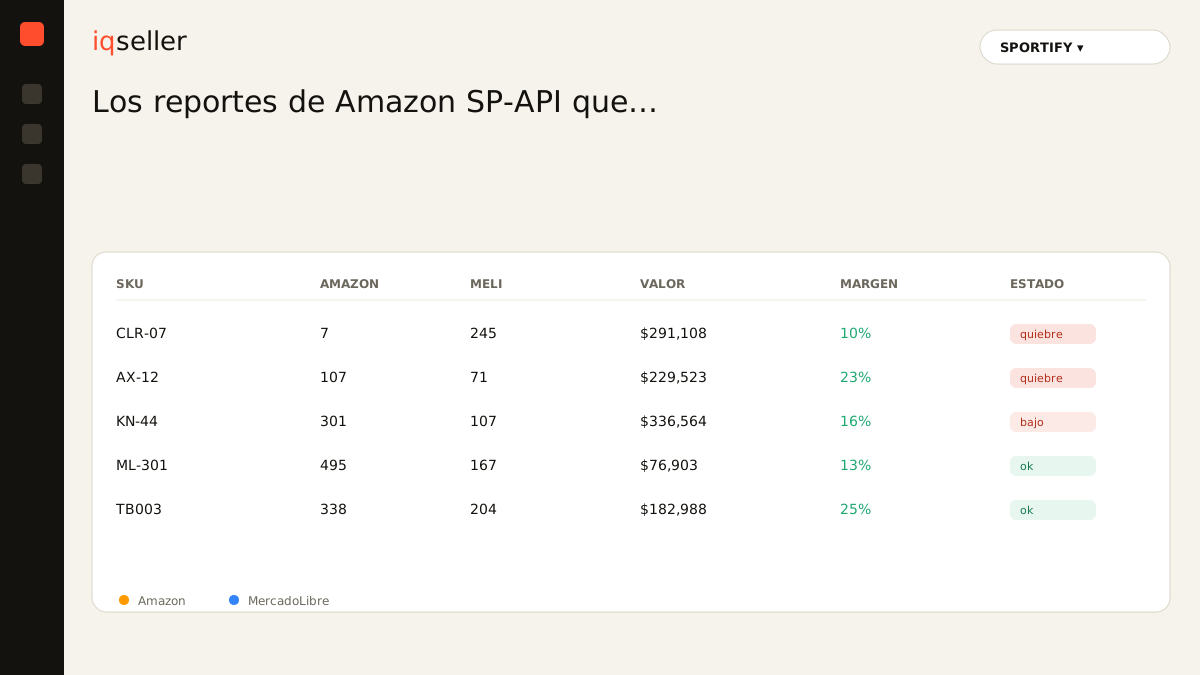
The way out isn’t requesting more reports or learning to code against the API. It’s having those reports arrive already consolidated: orders with resolved states, settlements attributed to each SKU, inventory summed across channels, returns deducted automatically, and Buy Box crossed with conversion, all in the same time zone and the same unit of measure. That’s what a dashboard like iqseller aims to solve: it doesn’t replace the SP-API, it digests it for you and sets it next to MercadoLibre and your 3PL.
The SP-API will keep being a maze of reports, because it’s built for machines, not for your Monday morning. What should change is who walks that maze. When the data arrives reconciled and up to date, you stop downloading and pasting files and go back to doing your job: deciding price, purchasing, and priorities with a number you can actually trust.