
Zombie SKUs: the ones that do not sell but still cost
November 27, 2026
A zombie SKU is not dead: there it is, listed, with stock, showing up in your catalog every day. It is not alive either: it has gone months without selling enough to justify existing. It lives in between, and that in-between is the most expensive spot in the warehouse, because a dead product gets liquidated and forgotten while a zombie keeps collecting rent indefinitely.
What it charges you has three parts. It charges space and storage, all the more so if it sits in FBA or Full, where holding aging inventory costs more. It charges capital, because those boxes are money you cannot use to restock what actually turns. And it charges attention: every week it appears on the restock list so you can decide not to order it, every season someone asks whether we should pull it, every audit stops to argue about it. That third invoice is in no report, and it is the heaviest one once your catalog has hundreds of SKUs.
The reason zombies survive is not economic, it is psychological. Each one has a story that justifies one more month: “it moves in December,” “it is almost gone,” “I ordered that for a customer who will come back,” “if I dump it I lose what I invested.” That last one is the most common trap, because the inventory money is already spent: the only question left is what you recover, not how much you lost.
This article exists to end that argument with data. You will see how to define in numbers what counts as a zombie in your business, how to tell a real zombie from one that only looks dead because it never had a chance, how to calculate what each additional month costs you, and what the four possible exits are with the criteria for choosing between them.
the definition that works: three conditions at once
“It does not sell” is too vague to decide on. A SKU is a zombie when it meets three conditions at the same time, and all three have to be measured in the same window.
The first is sustained low sales: units below a threshold you define, over at least two full restock cycles. If your lead time plus your order cycle is six weeks, the minimum window is three months. Anything shorter cannot tell a zombie from a slow month.
The second is inventory present: it has units somewhere. A SKU that does not sell and has no stock is not a zombie, it is a discontinued product that only needs its listing closed. The zombie is the one taking up space.
The third is absurd coverage: the days of inventory ahead of it are enormous at its current velocity. This is the condition that turns the problem into a figure. If you sell two units a month and hold forty, you have twenty months of coverage, and that is no longer inventory: it is a warehouse of souvenirs.
The three together separate the zombie from cases that resemble it. A new product has low sales but short coverage, because you ordered little. A seasonal product has low sales out of season but reasonable coverage when measured against its own season. A stocked-out product has zero sales and no inventory. None of the three is a zombie, and treating them as such is the mistake that makes people distrust this kind of analysis.
Glossary: sales velocity, the units you move per day →the false zombie: four reasons a SKU looks dead without being dead
Before sentencing anything, rule out that the problem is not the SKU but what you did to it. There are four frequent causes and all of them are fixable.
It was out of stock half the period. A SKU that could not be sold did not sell. If you measured three months and two of them were at zero, your data measures your restocking, not demand. Measure again with stock available.
It is badly listed. No decent photos, incomplete attributes, wrong category, or a title nobody searches that way. The product can have demand and be invisible. You detect this by looking at impressions: if it does not appear, the problem is catalog, not product.
Its price is out of market. Not expensive in the abstract, but because someone raised the price to “protect margin” eight months ago and nobody revisited it. A SKU at twice the competition’s price does not sell, and that tells you nothing about the product.
It is stranded or unfulfillable at the fulfillment center. On Amazon, a SKU can hold inventory that is not for sale because of a listing problem. While that lasts, it looks like a perfect zombie: high stock, zero sales. That is a different problem with a different fix, and it gets its own treatment in stranded and unfulfillable inventory.
The practical rule: before sending a SKU to the zombie list, confirm it had stock, impressions and a market price during the window you measured. If any of the three was missing, fix that and measure another cycle. If it had all three and still did not sell, now it is a zombie.
what each month it stays costs you
This is the calculation that changes the conversation, because it turns a vague annoyance into pesos. Here it is with made-up numbers that add up, so you can run it with yours.
Take a SKU with 40 units in inventory at a cost of 180 pesos each. Capital immobilized: 40 × 180 = 7,200 pesos. It sells 2 units a month, so its coverage is 20 months.
Now the monthly cost of holding it. First, storage: say in your case those 40 units cost 85 pesos a month to store (and if they are in FBA or Full, on top of the monthly fee you have to consider aged-inventory surcharges, which Amazon and MercadoLibre update periodically, so confirm the current ones before running your math). Second, the opportunity cost of the 7,200 pesos: if money reinvested in a SKU that does turn returns, say, 3% a month in profit, that is 216 pesos a month you are not earning.
Monthly cost of leaving it there: 85 + 216 = 301 pesos. Over a year, 3,612 pesos — half the value of the inventory itself. Put differently: across twenty months of coverage, that SKU will cost you more than it is worth, and at the end you will still have to get it out.
Now the exit calculation. If you liquidate at 150 pesos — below the 180 cost — you recover 40 × 150 = 6,000 pesos today. You take a 1,200 peso accounting loss and you save the 3,612 of holding it for a year. And the 6,000 that come in buy inventory of something that does turn. The 1,200 loss hurts because it is visible; the 3,612 does not hurt because it is invisible, and it is three times bigger.
That asymmetry is why zombies survive. Running this calculation with your own numbers is most of the work.
Glossary: inventory valuation, how much capital is parked →the four exits and when to use each
A zombie has four exits, not one. Choosing wrong is almost as expensive as not choosing.
Liquidate. Drop the price until it moves, accepting whatever margin comes out. This is right when the product is in good condition, has demand at some price, and what you care about is recovering capital and space fast. The key is not to half-liquidate: a timid discount that moves nothing leaves you with the inventory and less margin. If you are going to liquidate, set the price at which it actually sells and be done.
Sell through without restocking. Leave it listed at the normal price and simply never order it again. This is right when the SKU does sell, if only a little, and its margin is good: there is no urgency to remove it, but it does not deserve new capital either. It is the easiest exit and the most underrated. It requires exactly one discipline: flag it so nobody orders it out of habit when the supplier sends the list.
Repackage. Turn it into part of a kit with a product that does turn, or into a multi-unit pack. This is right when the product is good but the selling unit is the problem: an accessory nobody buys alone can sell well attached to the main product. Careful, though: a kit is a new SKU with its own cost, its own listing and its own follow-up. It is not free, and if the kit does not sell either, now you have two zombies.
Delist and dispose. Close the listing and get the inventory out: donate it, sell it to a liquidator by the lot, or destroy it if it is no longer sellable. This is right when the product is damaged, obsolete, or when the cost of continuing to store it exceeds any realistic recovery. It is the exit nobody wants and sometimes the only honest one.
The criterion for choosing comes down to two questions: does the product have demand at any price, and how much space and capital do I need to free, and how urgently? If there is demand and no urgency, sell through without restocking. If there is demand and urgency, liquidate. If there is no demand per unit but the product is good, repackage. If there is no demand at any price, delist.
the rhythm: one review a month, not one purge a year
The way to stop accumulating zombies is not the heroic annual purge. It is a short, periodic review, because a SKU that just became a zombie is far cheaper to resolve than one with two years of age on it.
Once a month, pull the list of SKUs meeting all three conditions. Discard the false zombies by checking stock, impressions and price. Of the ones left, calculate immobilized capital and coverage, sort them from largest to smallest capital, and decide on the top five. Five a month is sixty a year, which is more than most catalogs generate.
That cadence has an extra benefit: decisions get made cold, spread out, without the pressure of “we have to empty the warehouse before the season.” Liquidation decisions made in a hurry are the ones that give away margin, and they are almost always made in November because they were not made in March.
It also helps to keep this review separate from the restocking one. In restocking you decide what to order; here you decide what to stop holding. Mixing them ends with the zombie surviving because “we will see” while the meeting runs out on the urgent products.
what the panel shows you so you can spot them
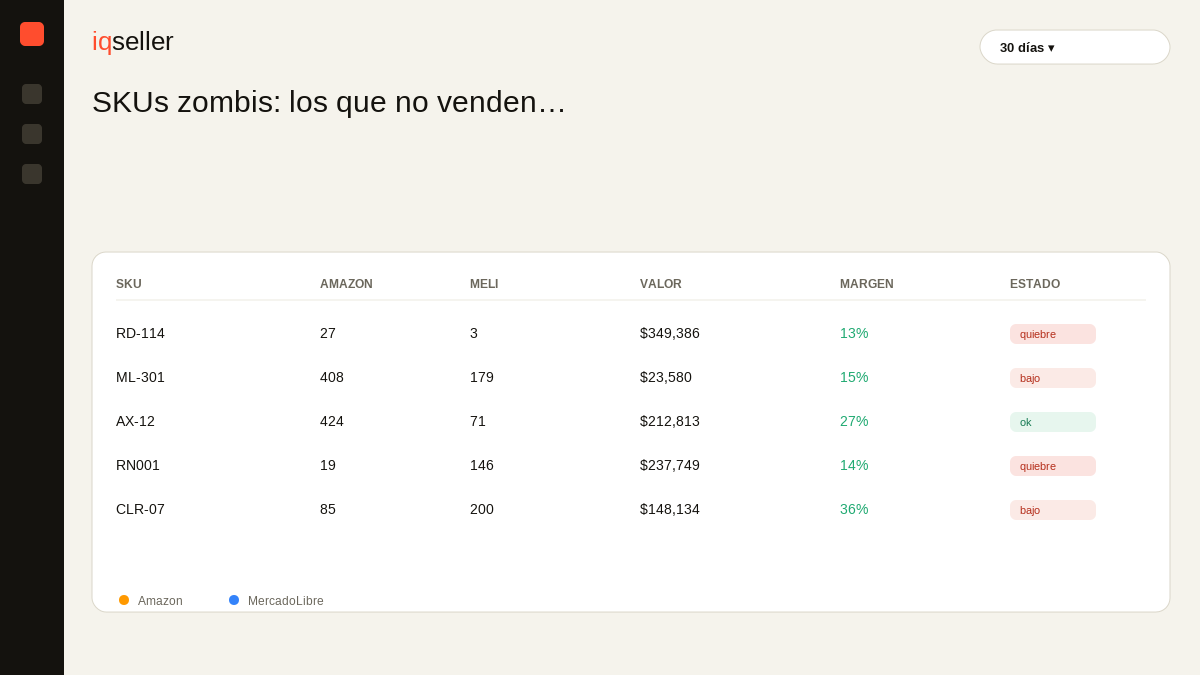
In iqseller the catalog sits in a Parent → Model → SKU tree, and zombies almost always hide at the SKU level, underneath a model that looks healthy. The model sells; two of its eight SKUs do not. Looking only at the level above, they never show up.
The Inventory module gives real-time valuation per SKU: how much capital is parked in each box, with stock broken out by warehouse, FBA, Full and 3PL. That is the column that sorts the zombie list by size of problem, which is how it has to be attacked. Together with sales velocity and coverage, the three conditions of the definition sit on one screen with one time cut.
The Profitability module adds the other half: net margin per SKU with the COGS you load, commissions from Amazon’s settlement and MercadoLibre orders, FBA and Full fees, shipping, advertising, and the VAT and withholding breakdown. That matters because a zombie with good margin and a zombie with negative margin are not treated the same: the first sells through without restocking, the second gets liquidated now. And the alerts help you discard false zombies, because a price or availability mismatch between channels explains a good share of the sales that never happened.
What the panel does not do is liquidate for you, build the kit, or ship the inventory to a liquidator. It also does not guess whether that product moves in December: your own history says that, which is why it is worth keeping. What it does is put capital, velocity, coverage and margin per SKU side by side, so the list of the month’s five most expensive zombies takes minutes to assemble instead of an afternoon in a spreadsheet.