
ACoS on MercadoLibre: how Product Ads works and how it differs from Amazon
August 17, 2026
ACoS on MercadoLibre (the “acos meli” everyone searches for) is the share of your advertised sales that gets eaten by advertising: Product Ads spend divided by the sales that advertising generated. Spend $1,000 on Product Ads, get $5,000 in attributed sales, and your ACoS is 20%. The formula is identical to Amazon’s, which is exactly why so many sellers assume the number means the same thing on both marketplaces. It doesn’t: MercadoLibre computes attribution with its own rules, uses a different window, and blends organic sales into the campaign report in a way Amazon does not.
Short version: the ACoS formula is the same, but what MercadoLibre puts inside “sales” and “spend” is not what Amazon puts there. Comparing a 18% ACoS on your Meli account against a 18% ACoS on your Amazon account, without understanding what each platform counted, is comparing apples to oranges. One might be counting organic sales you’d have made anyway; the other isn’t.
For the multichannel seller the hard part isn’t the formula. It’s that each platform hands you its own number, in its own dashboard, with its own attribution window, and you end up exporting everything to a spreadsheet trying to make them agree. This article breaks down how Product Ads works on MercadoLibre and how it differs from Amazon, so you know exactly what you’re looking at before you make a budget call.
what product ads is and how meli charges
Product Ads is MercadoLibre’s advertising system that pushes your listings to the top of search results and into featured slots inside the listing. It runs on CPC (cost per click): you set a target ACoS or a budget, and Meli’s algorithm decides how much to bid per click to hit that goal. You don’t bid manually per keyword like on Amazon; you hand the platform a profitability target and it manages the bids for you.
That’s the first big difference. On Amazon, especially with manual Sponsored Products, you control every bid per search term. On MercadoLibre the default model is “target ACoS”: you say “I want a 15% ACoS” and Meli raises or lowers bids automatically to get close. Which means that on Meli the ACoS isn’t just a result you measure afterward; it’s an input you configure, and it drives the system’s behavior. Set the target too low and the algorithm barely shows your ads, because it can’t find profitable clicks at that level.
how acos meli is calculated
The formula is ACoS = ad spend / ad sales × 100. So far, exactly like Amazon. What changes is what goes on each side:
- Ad sales (attributed): MercadoLibre counts as an advertised sale any purchase of an advertised product that happens inside the attribution window after the buyer clicked (or saw) the ad. Watch the wording: Meli attributes on click, but your campaign report also shows organic sales from the listings you have in campaign, and it’s easy to confuse the two if you don’t read the column carefully.
- Spend: the sum of what you paid for clicks. No big surprises here, except Meli consolidates by listing, not by keyword.
The detail that trips up sellers coming from Amazon: in MercadoLibre’s Advertising panel you can see a campaign ACoS and, separately, an ACoS that includes the organic effect of having the listing well ranked. If you mix both numbers when reporting, your ACoS “looks” much better than the paid advertising actually is. That’s why you should always separate the sale purely attributed to the click from the listing’s total sale.
how it differs from amazon’s acos
These are the differences that truly matter when you run both accounts:
- Attribution window. Amazon uses 7 days for Sponsored Products (14 for some formats); MercadoLibre runs its own window, shorter in practice for the direct click. A sale Amazon would attribute on day 6 might no longer count on Meli. Result: the same buying behavior produces different ACoS just because of the window.
- Bidding model. Amazon = manual or automatic bids per keyword and ASIN. MercadoLibre = target ACoS, the algorithm bids for you. There are no keyword negatives Amazon-style; you control less of the “where,” more of the “at what profitability.”
- Organic inside the report. Amazon cleanly separates paid from organic. Meli shows organic pull-through next to the campaign, which can inflate your perception of paid performance.
- Fees and cost structure. ACoS only looks at advertising. But to know whether that 15% ACoS leaves you a profit, you have to fold in MercadoLibre’s commission, the shipping cost (Mercado Envíos) and your product cost, all different from Amazon’s fees. The same ACoS leaves very different margins on each channel.
That’s why ACoS in isolation misleads. We cover it in depth in what is ACoS and in the sibling Amazon breakdown, what is ACoS on Amazon: the metric that decides if your ads make or lose money. The concept travels between platforms; the numbers don’t.
target acos: meli’s trap
Because MercadoLibre lets you set a target ACoS, it’s tempting to set it very low “to spend less.” The problem is that too aggressive a target makes the algorithm stop showing your ads: it can’t find clicks that meet the goal, your impression volume collapses, and you lose positions a competitor with a more realistic target happily takes. On Meli, lowering the target ACoS doesn’t always “save” money: it often just switches off your visibility.
The right balance doesn’t come from looking at ACoS alone. It comes from crossing it with your real net margin: what’s left per sale after Meli’s commission, shipping, tax and product cost. If your margin can absorb a 22% ACoS and still leave a profit, forcing a 10% target is costing you sales that were actually profitable. The target ACoS should be a margin decision, not a number you set out of fear.
why the multichannel seller struggles with this
Here’s the real pain. If you sell on Amazon and MercadoLibre — and maybe on Shopify with inventory in a 3PL too — you have:
- An Amazon Ads dashboard with its ACoS, its 7-day window and its keyword model.
- A Meli Advertising panel with its target ACoS, its own window and the organic blended in.
- An ERP or a spreadsheet where you try to stitch it all together by hand to know how much you actually earned this week.
Every Monday you export CSVs, paste columns, tweak formulas so the two ACoS numbers “mean the same thing,” and by the time you’re done it’s Tuesday and the data has moved. Worse: while you reconciled numbers, you didn’t notice a Meli campaign burning budget pushing a SKU about to run out of real available stock. You paid for clicks to sell something you couldn’t ship.
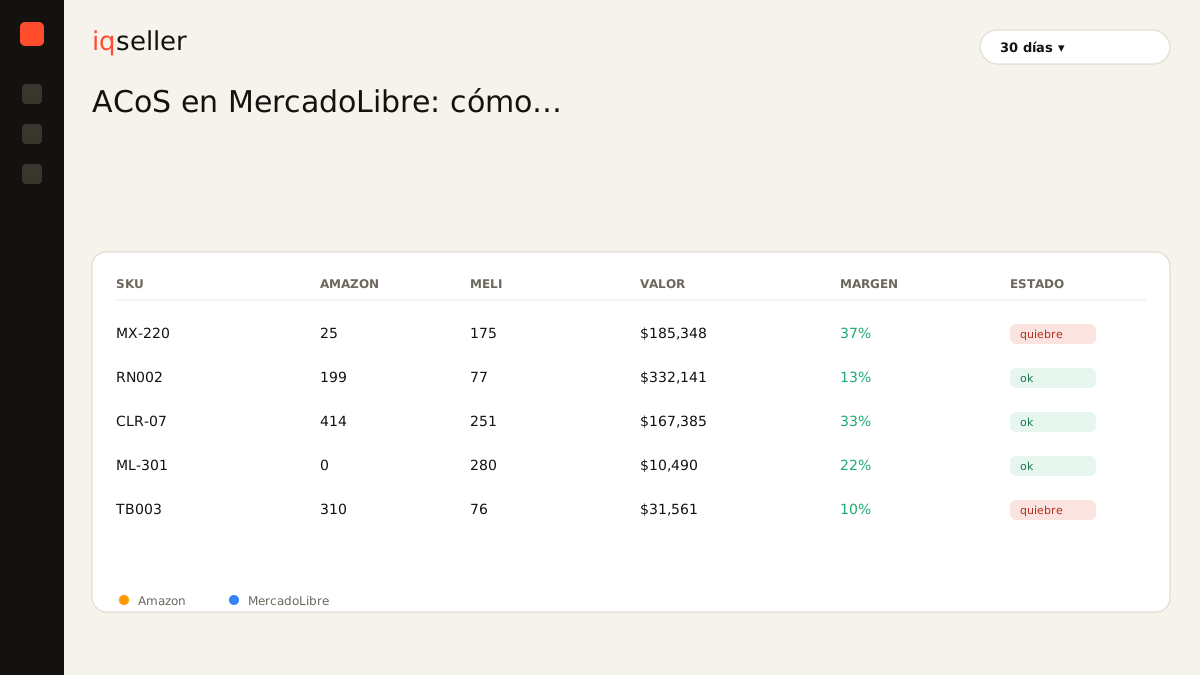
That’s what seeing everything in real time, in one place, solves. When Amazon’s ACoS and MercadoLibre’s ACoS live in the same panel, normalized with the same logic and crossed against your margin and available stock, you stop comparing apples to oranges. You see which channel leaves more profit per dollar invested, you catch the campaign about to burn budget on an out-of-stock SKU, and you decide with today’s data, not with a spreadsheet from two days ago.
how to read acos meli without fooling yourself
Three habits to avoid the mistake:
- Always separate paid from organic. When MercadoLibre shows you the campaign ACoS, check whether the number includes organic listing sales. To judge paid advertising, keep the sale attributed to the click.
- Translate ACoS into margin before deciding. A 18% ACoS on Meli isn’t as profitable as a 18% on Amazon, because commissions and shipping differ. Always drop down to real net margin per channel.
- Don’t compare ACoS across platforms without normalizing the window. If one channel attributes over 7 days and another over fewer, the more generous one “wins” in the report without being better. Compare with the same yardstick or don’t compare.
ACoS meli is a powerful tool once you understand its rules: the target-ACoS model, the platform’s own window and the blended organic. But it’s an efficiency metric, not a profit metric. Profit shows up when you cross that ACoS with your margin and your real inventory, across both marketplaces at once, without exporting a single CSV.