
How to read your dashboard in thirty seconds
March 13, 2026
Most multichannel sellers start the day the same way: Amazon Seller Central open in one tab, MercadoLibre in another, the 3PL portal in a third, and, if they were disciplined last night, a spreadsheet where they pasted each platform’s numbers by hand. Thirty minutes later you have a blurry sense of how the business is doing, and that sense is already stale: Amazon’s numbers are a few hours old, the Meli figures do not match the spreadsheet, and the stock the 3PL reports is not the same as what shows available on each listing. You decide under uncertainty because checking properly costs time you do not have.
The problem is not missing data. There is too much of it. The problem is that it is scattered, arrives in different formats, and nothing pulls it together for you. Each marketplace shows its own version of the truth, tuned so you sell more on that channel, not so you understand your whole business. So you end up doing the work a system should do: copy, paste, add up, cross-reference, and, in the end, doubt yourself.
The idea behind a good dashboard is to flip that burden. Instead of you gathering the information, the system gathers it for you and lays it out so a thirty-second glance tells you whether there is anything to handle today. It is not magic or just a prettier panel: it is deciding which few things genuinely matter and putting them on top, with just enough context to act. This article is about how you read that quick panel, and why that approach saves a seller from the worst loss of all, the one that comes from deciding too late.
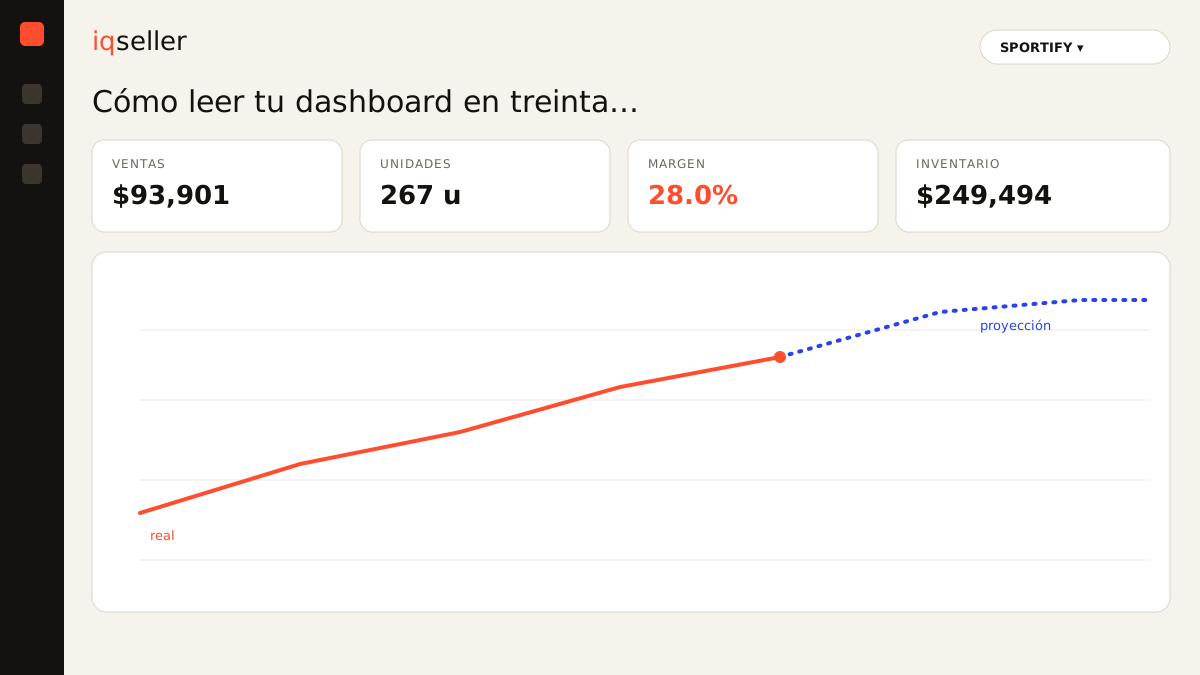
the first line: how much you sold and how much you made
The first thing your eye should land on is two numbers, not twenty. Sales for the day (or whatever period you are viewing) and profit. The classic seller trap is looking only at sales: a high-revenue day can be a low-profit day if that revenue came loaded with fees, aggressive advertising, or a thin-margin product. That is why the top line of a useful dashboard puts revenue and margin side by side, so you never celebrate half a figure.
Here is a distinction many sellers overlook: the margin each marketplace shows is not your real margin. Amazon subtracts its referral fee and FBA, but it does not know what the product cost you, the inbound shipping, or the tax you handle. Meli shows its own slice separately. A dashboard worth its salt already has those costs loaded and shows you profit after everything is deducted, not the illusion of “price minus cost.”
Dictionary: real net margin is what remains after commissions, fees, shipping, advertising, and tax, not simply price minus product cost.Thirty seconds, first check: did profit grow as fast as sales, or did sales rise while profit stayed flat? If the two move together, you are fine. If they split, there is something to look at later, and the dashboard already flagged it without you calculating a thing.
the second glance: by channel, not in one lump
A total tells you how the business is doing. A total by channel tells you where to act. For a multichannel seller, seeing “you sold $80,000” matters less than seeing that Amazon brought $50,000, MercadoLibre $25,000, and your Shopify $5,000, and that compared to last week Meli dropped while Amazon climbed. That comparison is the one that used to mean opening three portals; in a good panel it sits in a single row.
The value of having it side by side is not cosmetic. When a channel drops suddenly, the causes are usually specific to that channel: you lost the Buy Box on Amazon, a competitor cut its pricing on Meli, or the 3PL left you out of stock on just one marketplace. Seeing the channels separately turns a vague feeling (“it feels slow”) into a concrete question (“what happened on Meli on Tuesday?”). And a concrete question gets answered fast.
This is where a real-time dashboard splits from yesterday’s spreadsheet. The spreadsheet shows you a snapshot that already changed; the live panel shows you the drop while you can still do something about it. Deciding on yesterday’s data is deciding about a business that no longer exists.
the alert cards: what needs your attention today
After the totals, a well-designed dashboard does not flood you with charts: it surfaces exceptions. The three or four things that stepped outside the normal range. A SKU that ran out of inventory, a product where advertising ate the margin, a price a competitor moved that now leaves you out, a channel where available stock does not match what the 3PL reports. Those cards are the heart of the “thirty seconds”: if there are no alerts, you carry on with your day; if there are, you already know where to start.
This changes how you work. Instead of reviewing everything just in case, you review only what changed. The panel does the monitoring work you used to do by opening portal after portal, and reserves your attention for the decisions, which are the one thing a system cannot make for you. The difference between a panel that informs and one that helps is exactly that: the second tells you what to ignore.
A recurring alert among multichannel sellers is inventory coverage. Knowing how many units you have is not enough; what matters is how many days of sales you have left at your current pace, and that differs by channel. We expand on it in stock coverage: how many days you have, by channel, because it is one of the metrics most worth keeping on the first screen.
Dictionary: days of inventory estimate how long your stock will last at the current sales pace, a more useful signal than raw unit counts.the trend, not just today’s number
A lone number lies easily. “You sold $12,000 today” means nothing if you do not know whether yesterday was $8,000 or $20,000. That is why a dashboard that works always pairs the figure with its trend: an arrow, a mini-chart of the last few days, a percentage against the previous period. In thirty seconds you will not study a curve, but you do need to know if you are rising, flat, or falling.
The trend also filters noise. An isolated bad day can be chance; a three-day decline is a signal. A good panel helps you neither overreact to a normal dip nor underreact to a problem that has been building for days. Reading the movement, not the point, is what separates deciding with a cool head from deciding on nerves.
This connects to a principle we repeat often: data that changes no decision is noise on the screen. The trend matters because it moves a decision (reorder, adjust price, pause a campaign). If a metric never makes you act, it does not deserve a spot on your first screen, and the dashboard should hide it.
true available: the number that prevents the headaches
Of all the data a multichannel seller glances at, the most dangerous to have wrong is stock. Not the physical stock in the warehouse, but what you can actually sell on each channel right now, already net of what is reserved, in transit, and committed on other marketplaces. Selling what you do not have costs you cancellations, reputation, and, on Meli or Amazon, penalties that take a long time to heal.
Dictionary: true available is the stock you can sell right now on a channel, already net of what is reserved, in transit, or committed elsewhere.That is why a decision-focused dashboard puts true available on top and consolidated: a single source of truth that reconciles what your 3PL reports with what each marketplace thinks you have. When those numbers disagree, the panel flags it before a customer discovers it for you. If you want to understand how that inventory is projected forward, we cover it in inventory forecast in depth, the pillar of this topic.
thirty seconds, in order
Put it all together and the quick read has a sequence. One: sales and profit on top, are they moving together? Two: the breakdown by channel, did any channel drop? Three: the alert cards, is anything outside the normal range? Four: the trend, are we rising, flat, or falling? Five: true available, is any SKU at risk? If all five come back calm, you close the panel and work the day. If one lights up, you know exactly where to dig in.
That order is the real product of a dashboard, more than any chart. It is not about having more data on screen, but about having the few right ones, live, and in the order a seller needs them to decide. When the information stops being scattered across Seller Central, MercadoLibre, the 3PL, and your spreadsheet, and lives in a single real-time source of truth, reading your business stops being a half-hour chore and becomes what it should be: one glance, one decision, back to work.